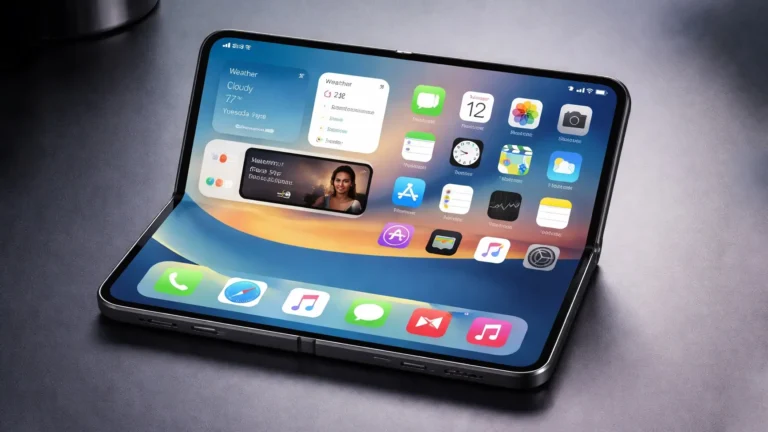
Apple Rolls Out Additional iOS 26 Beta 4 Build Alongside First Public Beta
As technology enthusiasts eagerly anticipate the latest updates from Apple, a significant development has just emerged from Cupertino. Apple has officially rolled out the iOS 26 Beta 4 build, coinciding with the release of the first public beta. This is an exciting time for iPhone and iPad users, as the new features and enhancements promise to elevate the user experience.
In this post, we will delve into what the latest beta build offers, the significance of the public beta, how you can participate, and the implications for developers and everyday users alike.
Understanding the iOS Beta Program
Before diving into specifics on iOS 26 Beta 4, it’s essential to understand what beta versions are and why they are crucial in the life cycle of software updates. Beta versions are pre-release software that undergoes testing to catch bugs and get feedback from both developers and general users. Apple typically releases several beta versions before the final public release, allowing both types of users to explore new features while providing valuable insights to developers.
The Importance of Beta Testing
The beta testing phase is vital for identifying potential issues early in the development process. By involving users in this stage, Apple can make necessary adjustments based on real-world usage scenarios. Additionally, the feedback gathered helps Apple ensure the stability and usability of the final product, thereby reducing the likelihood of issues at launch.
Key Features of iOS 26 Beta 4
With the rollout of the iOS 26 Beta 4 build, Apple is introducing a host of innovative features designed to enhance functionality and user experience. Here are some standout features that you can expect:
1. Enhanced Customization Options
One of the most talked-about updates in this beta is the improved customization options for the home screen and widgets. Users can easily rearrange their apps and widgets with more flexibility, giving their devices a personalized touch that reflects their style.
2. Improved Notifications
The new notification features allow for more granular control over how and when notifications appear. Users can set priority levels for alerts, automate settings based on location or time, and even schedule "do not disturb" periods that automatically enable and disable as per user preferences.
3. Security and Privacy Enhancements
In line with Apple’s commitment to user privacy, iOS 26 Beta 4 includes new security measures, such as enhanced app tracking transparency and additional settings for data sharing. This aims to give users more control over their digital footprint and better insight into their data usage.
4. Usability Improvements
Apple has focused on usability improvements backed by user feedback. Features like shortcut automations and refined voice command recognition are set to make navigation smoother and more intuitive. The addition of improved voice accessibility tools also highlights Apple’s ongoing commitment to making technology accessible to everyone.
What Does the Public Beta Mean for Users?
The introduction of the first public beta signifies that Apple is opening the doors for users outside the developer community to experience the new features of iOS 26. Public betas present an invaluable opportunity for the average consumer to test out the latest software and contribute feedback.
Why Participate in the Public Beta?
Participating in the public beta not only allows users to be among the first to explore new features, but it also provides a chance to influence the final product. Users can report bugs, suggest improvements, and share their experiences, making them active participants in the development process.
How to Join the Public Beta
Joining the public beta is relatively straightforward. Users can enroll via the Apple Beta Software Program website:
- Sign Up: Visit the Apple Beta Software Program and sign in with your Apple ID.
- Backup Your Device: Always back up your data before installing beta software to prevent loss of information.
- Download the Configuration Profile: Following the onscreen instructions will lead you to download the necessary profile for iOS 26.
- Install the Update: After restarting your device, navigate to “Settings” > “General” > “Software Update” to install the public beta.
Caution: As with all beta software, you may encounter bugs or performance issues that could affect daily use. It’s advised to install it on a secondary device if available.
The Impact on Developers
Along with the public beta release, many developers are exploring how the new updates can enhance app functionality. iOS 26 brings new SDKs (Software Development Kits) and APIs (Application Programming Interfaces) that allow developers to create richer experiences in their applications.
A Focus on Innovation
The enhancements introduced in iOS 26 Beta 4, such as new AR capabilities and improved machine learning tools, open new avenues for app functionality. Developers can leverage these features to create more engaging and interactive apps, appealing to a wide range of user needs.
Community Feedback and Support
The beta testing phase also fosters a community where developers can share tips, experiences, and solutions as they navigate the new updates. Apple provides robust resources and forums for developers to discuss issues they encounter and brainstorm solutions, further enhancing the ecosystem.
Conclusion
The rollout of iOS 26 Beta 4 and the first public beta marks a significant moment in Apple’s software development timeline. As users prepare to explore the latest features, they become part of an evolving conversation that will shape the future of iOS. Emphasizing customization, enhanced security, and user experience, this beta aims to make iOS not just a tool, but a seamless extension of its users’ lives.
Whether you’re a developer eager to explore new SDKs or a general user excited about the latest features, now is an excellent time to get involved. However, remember that beta software can present hiccups along the way. Therefore, it’s important to approach this exciting journey with curiosity and caution. Happy testing!
About the Author