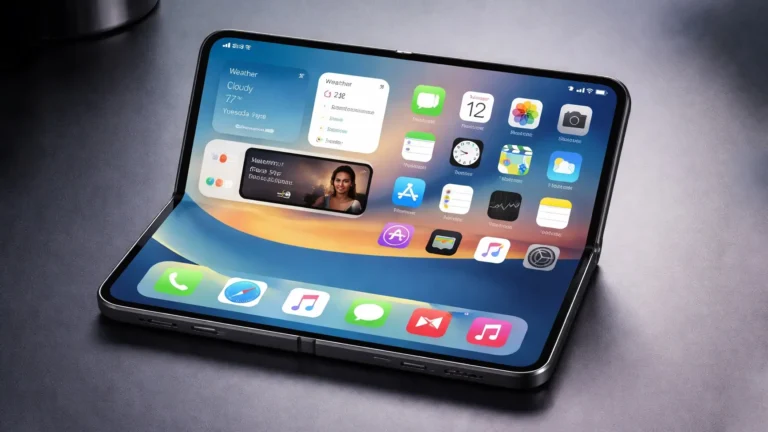
Apple’s iOS 26 Beta is Ready for the Public
Apple has once again taken the tech world by storm with the release of the public beta for iOS 26. The anticipation surrounding new iOS versions is always high among enthusiasts, developers, and casual users alike. With each iteration, Apple strives to enhance user experience, introduce innovative features, and improve performance. In this blog post, we will explore the key features of iOS 26, discuss how to install the beta, and consider what this update means for users.
What’s New in iOS 26?
One of the most exciting aspects of any update is what it brings to the table. iOS 26 does not disappoint, with an array of enhancements designed to elevate user experience. Here are some of the standout features:
Enhanced Privacy Features
Apple has made privacy a cornerstone of its design philosophy, and iOS 26 continues this trend. New privacy features in this beta version include:
-
Advanced App Tracking Transparency (ATT): Users will now have more granular controls over which apps can track their behavior. Not only can you opt-out of tracking, but you will also receive more detailed reports on how apps use your data.
- Privacy Reports Right on the Home Screen: A new privacy widget can provide a quick overview of how apps are accessing your data and what they are doing with it. This will empower users to make informed decisions about app permissions.
Refined User Interface
The visual aspect of iOS also sees significant upgrades. This beta introduces a more fluid and cohesive design language that makes navigation smoother than ever.
-
Dynamic Widgets: Widgets are now more interactive, allowing users to engage without opening an app. This enhancement enables quick access to frequently used features and information.
- Customizable Control Center: iOS 26 allows users to customize the Control Center more extensively, giving you the ability to prioritize which toggles and shortcuts you use most frequently.
Improved Performance
Performance optimizations are an essential part of any iOS update, and iOS 26 comes with several improvements that make a noticeable difference:
-
Reduced App Launch Time: Apps will launch faster, enhancing overall usability, especially for resource-intensive applications like games and creative software.
- Battery Management Enhancements: The new OS includes smarter battery management tools that can help prolong the lifespan of your device’s battery.
New Features for Communication
In a world where communication is key, iOS 26 introduces features that keep users connected:
-
Group FaceTime Enhancements: Features such as spatial audio and improved grid view make group calls feel more interactive and engaging. You can also set up virtual "rooms" for specific groups, similar to the "Channels" feature popularized by other messaging platforms.
- Upgraded Messaging Features: The Messages app now supports more interactive elements, including polls and quick replays for group messages, making it easier to coordinate plans with friends and family.
How to Install the iOS 26 Beta
For those eager to experience these new features, installing the iOS 26 public beta is a straightforward process. However, it’s important to remember that beta software can be buggy, as it is still in development. Here’s how to get started:
Step 1: Sign Up for the Apple Beta Software Program
- Go to the Apple Beta Software Program website.
- Sign in with your Apple ID.
- Enroll your device by following the prompts on the site.
Step 2: Backup Your Device
Before proceeding with the installation, always back up your device. This can be done via iCloud or through iTunes.
- iCloud: Go to Settings > [Your Name] > iCloud > iCloud Backup, then tap "Back Up Now."
- iTunes: Connect your iPhone to your computer, open iTunes, select your device, and click "Back Up Now."
Step 3: Download the Beta Profile
- Once enrolled, you will be directed to download a profile.
- Open the profile from your device settings and follow the installation instructions.
Step 4: Update Your Device
- Go to Settings > General > Software Update.
- You should see the option to download and install the iOS 26 beta. Follow the prompts to complete the installation.
Step 5: Feedback and Bug Reporting
As a beta tester, Apple encourages you to provide feedback. Use the Feedback Assistant app to report any bugs or issues you encounter, helping Apple refine the final release.
What This Means for Users
The release of the iOS 26 beta signifies Apple’s commitment to continuous improvement. For developers, it’s a chance to prepare their apps for compatibility with the upcoming full release. For everyday users, it provides a glimpse into the future of Apple’s mobile operating system.
Evolving Their Ecosystem
Apple is not just improving iOS with this update; it’s also evolving its ecosystem. Features like improved iCloud integration and continuity across devices can significantly enhance user experience, making it seamless to switch between your iPhone, iPad, and Mac.
Anticipating Full Release
While the beta version offers exciting new features, users should keep in mind that it is not without its flaws. Bugs and system instability are part of the beta experience, and many users may prefer to wait for the final stable release.
Conclusion
Apple’s iOS 26 public beta is an exciting preview of what’s to come. With improved privacy features, refined user interface, and enhancements in communication, Apple continues to push the boundaries of mobile technology. Installing the beta allows eager users to experience these advancements first, but it is essential to keep in mind the potential limitations of beta software. As developers and users alike get their hands on iOS 26, we can look forward to a polished, feature-rich final release that will undoubtedly shape how we use our devices in the future. So, are you ready to dive in and explore the latest from Apple? Happy testing!
About the Author