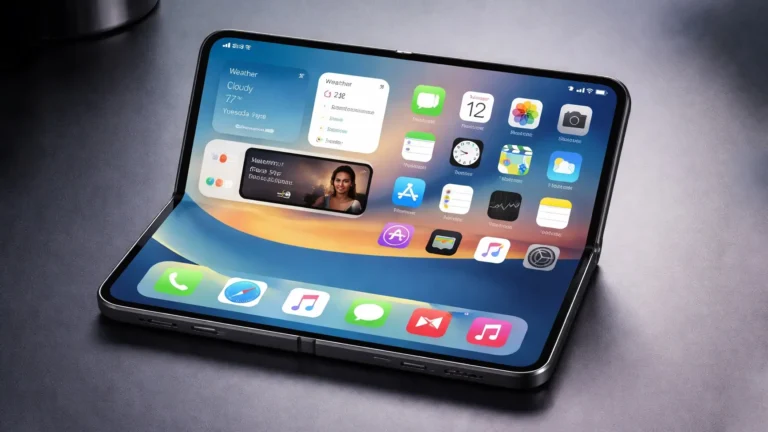
iOS 26 Public Beta: Explore the Liquid Glass UI and Exciting New Features
As technology enthusiasts eagerly anticipate each new release, Apple has once again stirred up excitement with the public beta of iOS 26. This latest version promises a beautiful redesign, enhanced usability, and groundbreaking features. In this blog post, we’ll delve into the Liquid Glass UI and other significant changes, detail the eligible devices, and guide you on how to install the public beta.
What’s New in iOS 26?
Liquid Glass UI: A Visual Transformation
One of the most talked-about features of iOS 26 is undoubtedly the Liquid Glass UI. This innovative design reimagines the user interface with flowing, translucent elements that mimic the appearance of liquid glass.
Aesthetic Appeal
The Liquid Glass UI introduces depth and dimension to the iOS environment, offering an immersive user experience. The transparency of various elements allows users to engage with their backgrounds in a dynamic way. Icons and menus become less obtrusive, creating a seamless interaction as they refresh the look of the UI with vibrant colors and smooth transitions.
Enhanced Usability
Beyond aesthetics, the Liquid Glass UI is designed with usability at its core. Designers have aimed for a balance between beauty and function, enabling users to navigate through application interfaces effortlessly. Touch responses feel more tactile, and the overall visual feedback enhances interaction, making your device feel even more intuitive.
Improved Performance and Stability
Along with the aesthetic upgrade provided by the Liquid Glass UI, iOS 26 brings significant performance enhancements. Apple has focused on increasing the speed and stability of the OS, ensuring that your iPhone or iPad operates smoothly, even when multitasking with demanding applications. Users can expect faster load times and an improved overall experience as background processes have been finely tuned.
New Features to Look Forward To
Multitasking Innovations
iOS 26 embraces advanced multitasking features, further blurring the line between work and play. Users can take full advantage of split-screen capabilities, making it possible to run multiple applications side-by-side or stack apps in a compact view. This innovation is particularly useful for those who frequently use productivity applications, enabling seamless transitions from communication platforms to document editing.
Health and Wellness Upgrades
With every new iOS version, Apple emphasizes health and wellness features. iOS 26 introduces improved integration with health apps, providing users with deeper insights into their physical conditions. New tracking methodologies allow for more personalized health recommendations, whether it’s for fitness, sleep, or nutrition.
Enhanced Privacy Features
Apple’s commitment to user privacy continues to be a key focus in iOS 26. New tools enhance data security, giving users the ability to control how their information is shared. With features like improved app tracking transparency and new privacy reports, users will feel more empowered regarding their digital footprint.
Eligible Models for iOS 26 Public Beta
Before diving into the installation process, it’s crucial to ensure your device is compatible with iOS 26. Below is a list of eligible models:
-
iPhone Models
- iPhone 14 series
- iPhone 13 series
- iPhone 12 series
- iPhone 11 series
- iPhone SE (2nd generation and later)
- iPad Models
- iPad Pro (all models)
- iPad Air (3rd generation and later)
- iPad (5th generation and later)
- iPad mini (5th generation and later)
If your device falls within this range, you’re all set to explore iOS 26!
How to Install iOS 26 Public Beta
Getting started with the iOS 26 Public Beta is a straightforward process, but it does require attention to detail. Follow these steps to successfully install the beta on your eligible device:
1. Back Up Your Device
Before undertaking any major system updates, always back up your data. You can use iCloud or connect your device to your computer and perform a manual backup through iTunes or Finder. This step is crucial in case you need to revert back to the stable iOS version.
2. Enroll in the Apple Beta Software Program
- Open Safari on your iOS device and visit the Apple Beta Software Program.
- Sign in with your Apple ID or create a new account if you don’t have one.
- Once signed in, agree to the terms and conditions presented.
3. Download the Beta Profile
- After enrolling, you will be prompted to download the beta profile.
- Go to the "iOS" section, and click on the provided link to download the profile directly to your device.
4. Install the Profile
- Head to Settings > General > VPN & Device Management.
- Here, you’ll find the downloaded profile. Tap "Install" and follow the prompts to integrate the profile into your system.
5. Update to iOS 26 Beta
- Once the profile is installed, navigate to Settings > General > Software Update.
- Your device should recognize the new iOS 26 public beta. Tap "Download and Install."
6. Wait for Installation
The installation process may take some time, so be patient. Once completed, your device will reboot and be ready to explore the new features of iOS 26!
Conclusion: Embrace the Future with iOS 26
The public beta of iOS 26 is an exciting glimpse into Apple’s vision for the future of its operating system. With its stunning Liquid Glass UI and a host of new features aimed at enhancing usability and privacy, this release is likely to be a game-changer for many users. By following our step-by-step guide, you can easily begin your journey through this innovative public beta. As always, remember that beta software may have some bugs or issues, so ensure you have a backup and be prepared for occasional hiccups. Happy exploring!
About the Author